
- AddOns
- Categories
- Stand-Alone Addons
- Action Bar
- Auction House
- Bags, Bank, Inventory
- Buff, Debuff, Spell
- Casting Bars, Cooldowns
- Chat
- Combat
- Graphics, Artwork, Textures
- Layouts
- Map, Coords, Compasses
- Party, Guild
- Professions
- PvP, Warfronts
- Quest, Leveling, Reputation
- Raid Mods
- RolePlay, Music Mods
- Soul and Role Specific
- ToolTip
- Unit Frames
- Miscellaneous
- Compilations & Suites
- Developer & Utilities
- Optional
- Stand-Alone Addons
- Latest 200 Submissions
- Upload AddOn
- Community
- Forums
 »
Gadgets
PicturesFile Info
»
Gadgets
PicturesFile InfoUpdated: 05-27-18 01:29 AM Created: 05-04-12 03:55 PM Downloads: 48,870 Favorites: 152 MD5: Wish ListGadgets
Write here your thoughts about what you wish to be added or change with Gadgets.
How to...
I create "How to" page, where i'm write frequently asked questions.
Video guide about gadgets configuration and capability
I made it with example of my own UI.
It have five parts:
- Part 1. Standart Rift UI setup
- Part 2. Addon Gadgets setup ( Heal_profile )
- Part 3. Addon Gadgets: Buffs setup ( for Heal_profile )
- Part 4. Addon Gadgets setup (how to make DPS profile from our HEAL profile)
- Part 5. Addon Gadgets Macros setup
All of them you can find here
Lost Your Button?
If you ever lose your Gadget button, type /gadget reset into chat to put it back in the centre of your screen.
Latest Update
v0.10.15
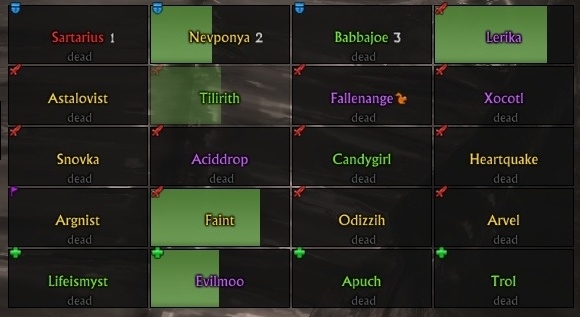
* Added Black/White List to Raid frames for next template:
** HealFrame,
** LifeRaidFrame1 ,
** LifeRaidFrame2,
** LifeRaidFrameCallingCilor
Included Gadgets
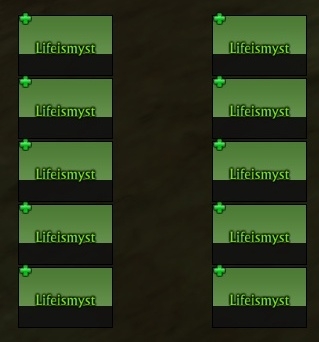
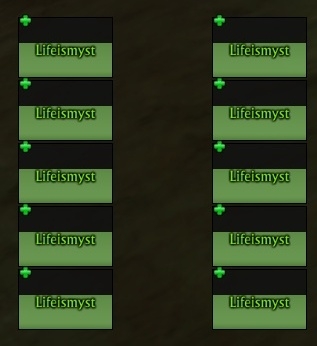
- Buff Bars
- Buff Icons
- CPU Monitor
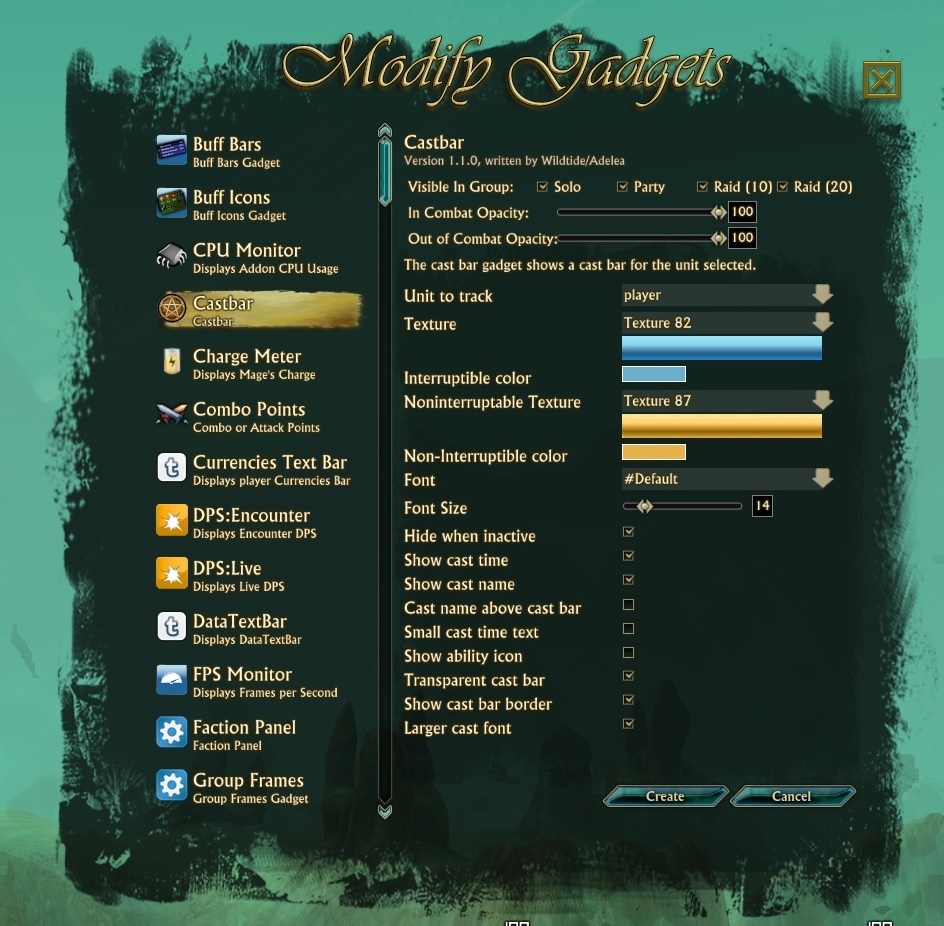
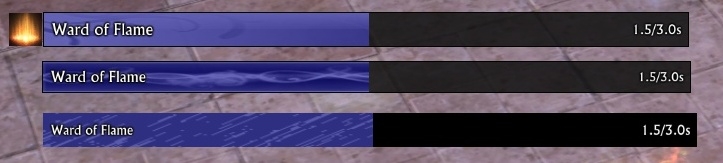
- Cast Bar
- Cast Bar Presets
- Charge Meter
- Combo Points
- CurrenciesTextBar
- DPS:Encounter
- DPS:Live
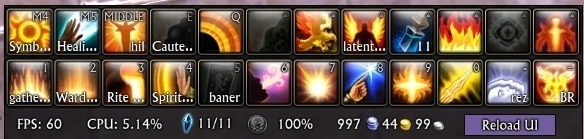
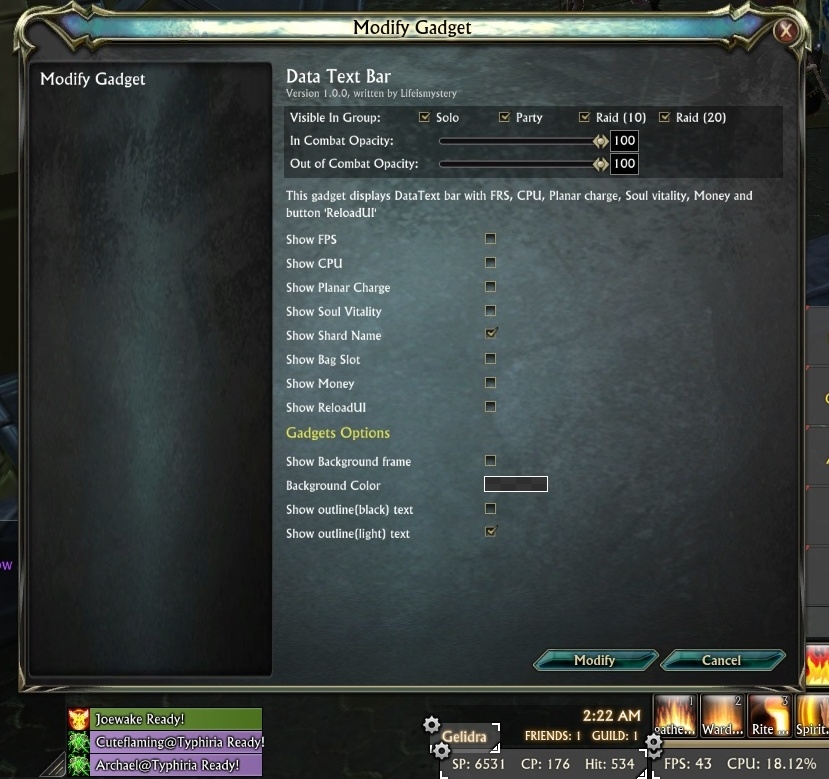
- DataTextBar
- FPS Monitor
- StatTextBar
- FPS Monitor
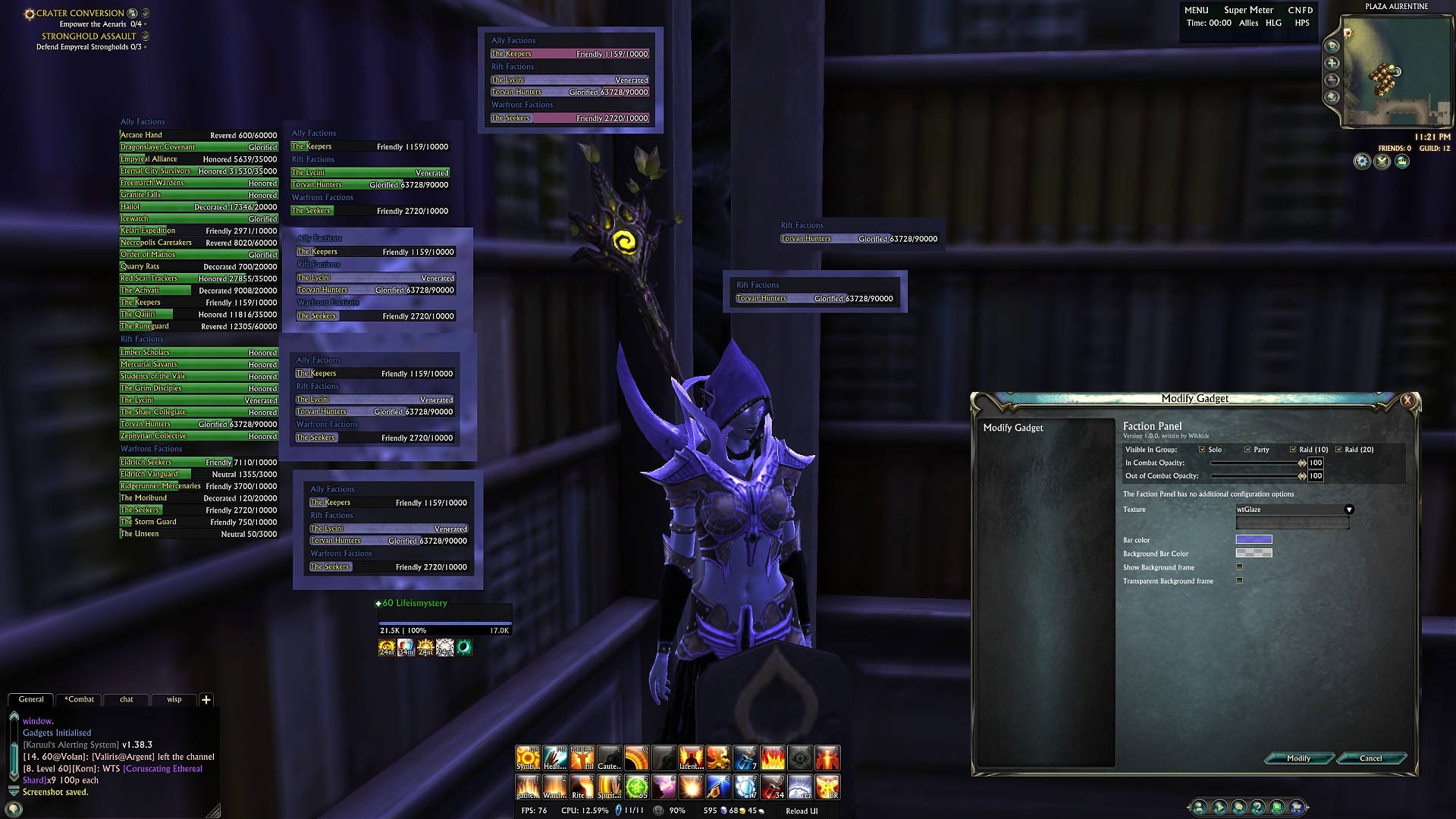
- Faction Panel
- Free Memory
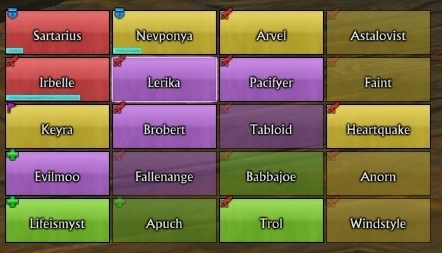
- Group Frames
- HPS:Live
- HUD Arcs
- LifeComboPoints
- Planar Charge
- Raid Frames
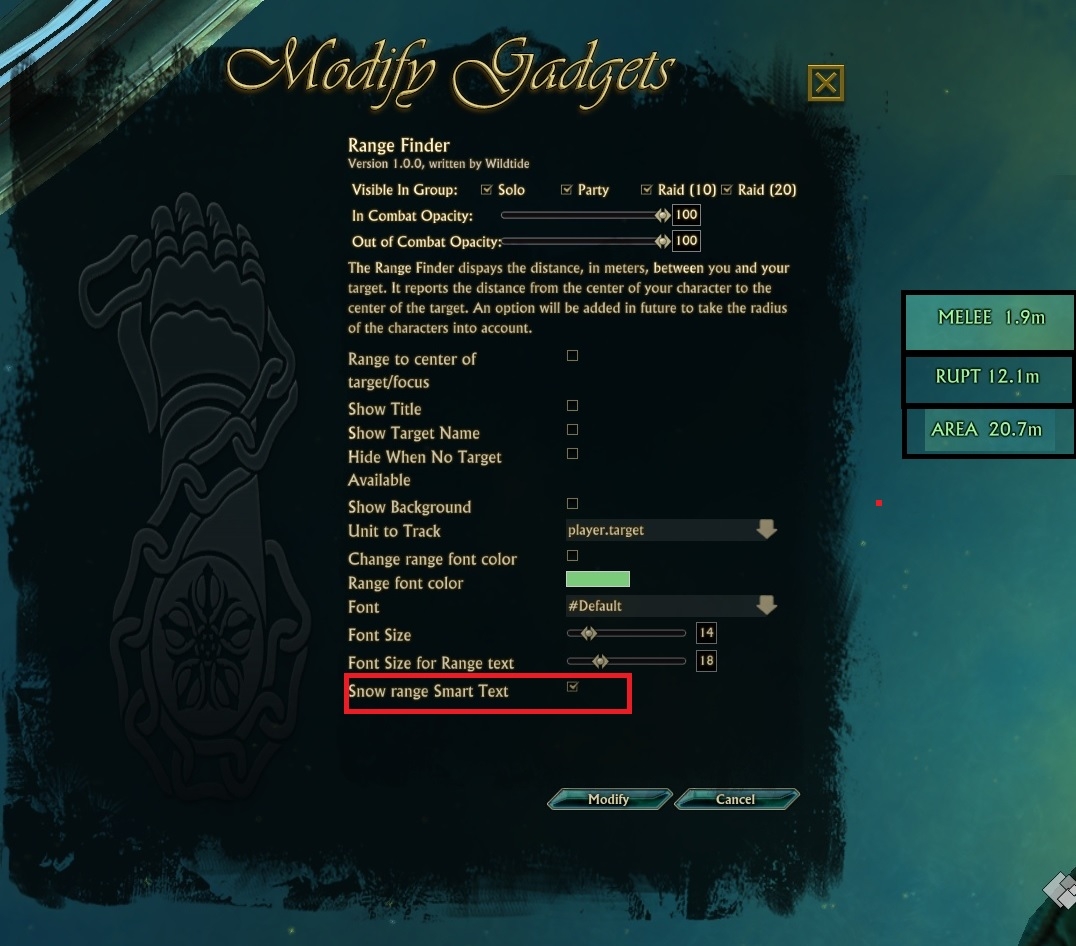
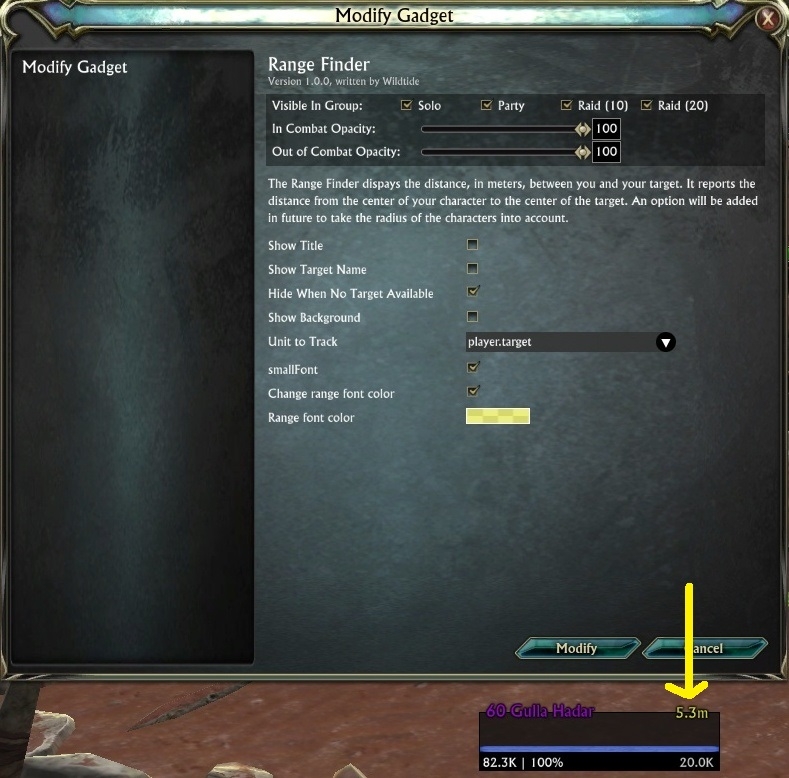
- Range Finder
- Range Traker
- Reload UI
- Soul Vitality
- Stat Text Bar
- System Usage
- Unit Frame
- Unit Frame Presets
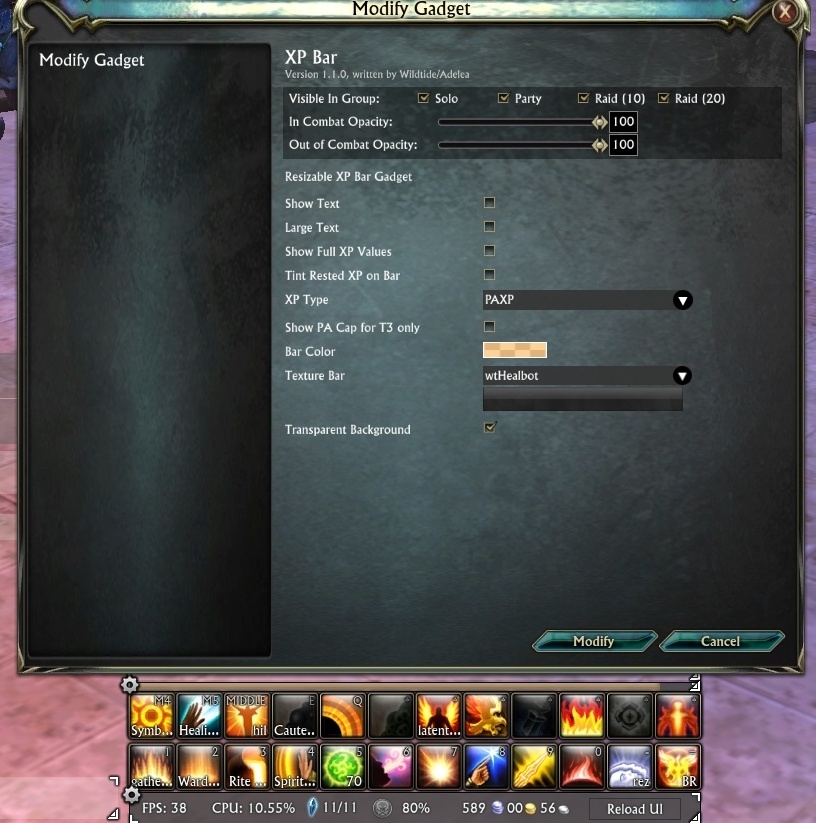
- XP Bar
- XP Percent
See section 2.0 in the readme (below) for more detail on these.
Grid Snapping
Typing "/gadgets grid 8" for example, will snap all movement and resizes to an 8 pixel grid.
Type "/gadgets grid" with no number to reset snapping.
Quick Start

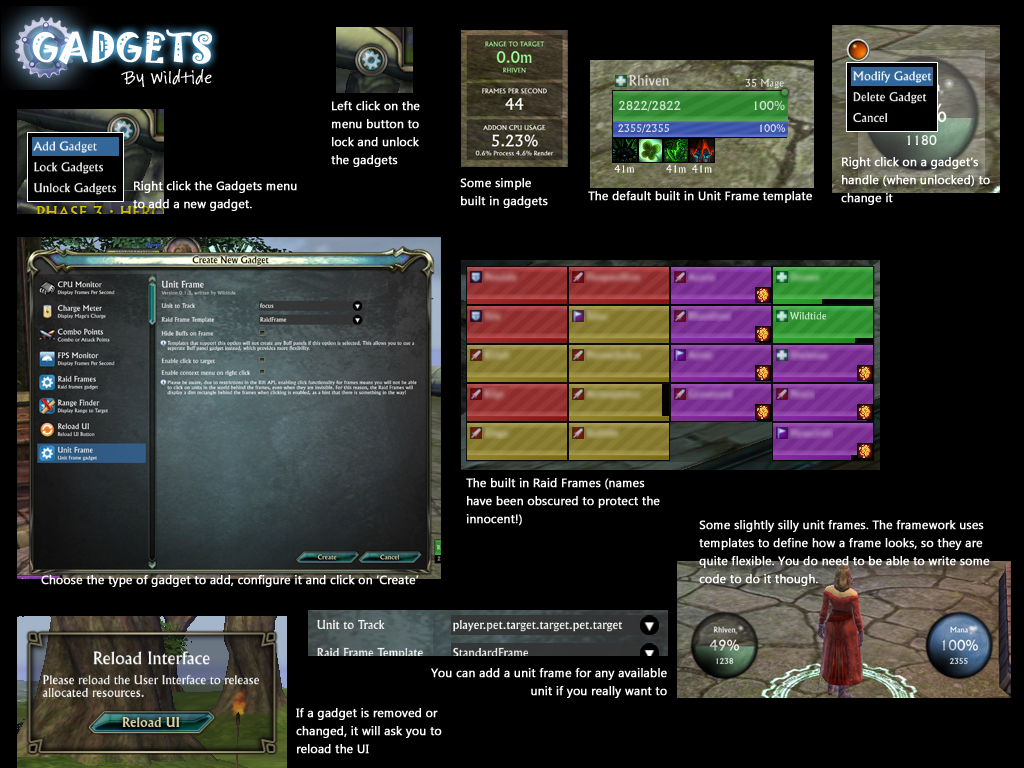
You will see a round button with a Gear icon in the middle of your screen. Drag this button to where you want it by left clicking and dragging.
Right click on the button and choose 'Add Gadget' to add a gadget to your screen.
Left clicking on the button will unlock (and re-lock) all of your gadgets. When unlocked, Gadgets can be moved by dragging their movement handles (the white gear icon at the top corner of each gadget).
To alter an existing gadget, right click on it's movement handle while gadgets are unlocked, and choose 'Modify Gadget'.
When moving gadgets around on the screen, you can align them to another gadget by dragging the move handle over the top of another move handle. The gadget you are dragging will align itself either horizontally or vertically with it. If you move the gadget too far from the horizontal or vertical axes, alignment mode will turn off (it should hopefully become clear when you try it!).
Macros
The raid and group frames allow you to specify macros for various mouse buttons and the mouse wheel. These are standard RIFT macros, with a couple of extra Gadgets features:
Use @unit to refer to the unit the frame is showing. For example "cast @unit Healing Breath".
Use modifer it you want:
Use the following syntax to have a macro carry out different actions depending on your current role:Code:cast [shift] @unit Symbol of the Torch cast Symbol of the Sun
ProfilesCode::if role == 1 or role == 6 then target @unit :end :if role == 2 then target @unit cast Healing Spray :end :if role == 3 or role == 4 or role == 5 then cast [shift] @unit Symbol of the Torch cast @unit Symbol of the Sun :end
Save, load and delete your profiles. How to save, load and delete your profiles you can see on my video guide http://www.youtube.com/watch?v=Tr7bcidyFv8&;
Notes
I have borrowed some images from other people. I believe the licenses on these sources allow this, but if not, I will replace them.
- Various bar textures from LibSharedMedia (WoW addon)
- Orb images from Roth UI (WoW addon)
- A few images from the Rift Fansite Kitv0.11.01
* fixed mouseover issue for raid frames ( aileen )
v0.11
* Added aileen's changes (http://forums.riftgame.com/technical-discussions/addons-macros-ui/315634-addon-gadgets-67.html#post5353056)
* Change UnitFramePreset (you need to recreate it if you have).
* Add preview to UnitFramePreset.
* Clear code(trim trailing space)
* Delete not necessary images
v0.10.19
* update game version
* fixed error: Currencies Text Bar
* fixed error: XP Bar
* fixed error: get error when open Settings without any layouts
v0.10.17
* just fixed Currencies Text Bar
v0.10.15
* Added Black/White List to Raid frames for next template:
** HealFrame,
** LifeRaidFrame1 ,
** LifeRaidFrame2,
** LifeRaidFrameCallingCilor
v0.10.9
* fixed CastbarPresets
* update LibDraggable
v0.10.8
* CastBarPresets: you see cast after teleport - fixed
* Add callingcolor for primalist
* Fixed bug with delete profile
* Added new UnitFramePresets (Beta version)
v0.10.7
* Added new CastbarPresets
* Added Grid when gadgets unlock (setup it in GadgetsSettings) - grid copied from Align addon, so thanks author to done this
* Added AlertList for RaidFrames (setup it in GadgetsSettings, works with GJK.lua
* Fixed combo points
v0.10.2
* Fixed ui of profile page
v0.10.0
* <<color #ff001d>>Gadgets: Buffs now added to Gadgets addon, no need to separate install it<</color>>
* New Gadgets UI
* LibSimpleWidgets_LifeEdition
* sorted all fonts
* Add option Smart Range Text
* Fixed - Shard name text
* Fixied - add option to show/don't show buffs for SimpleFrame
v0.8.5
* New Combo Points
v0.8.5
1) Combo Points Gadget
* Add option to display it by text, choose text size and font
2) Stat Text Bar
* Add option to choose text size
* Add option to choose text font
* Add option to show light text outline
3) XP Bar
* Add option to choose text size
* Add option to choose text font
* Add option to show light text outline
* Add option to show Text above Bar
4) XP Percent
* Add option to choose text size
* Add option to choose text font
* Add option to show light text outline * Add option to don't show text "EXPERIENCE"
* Add option to don't show background
v0.8.4
* Fixed HideCastBar option.
v0.8.3
* Add option to change font size range text in RangeFinder
* fixed cast bar
v0.8.2
* Fixed CastBar icon error
v0.8.1
* Add options to change font and font size in CastBar, ChargeMater, RangeFinder, DataTextBar, StatTextBar
v0.8.0
* Add new UnitFrames
** HPframe
** Manaframe
* Add new option to CastBar
* Add new option to ChargeMeter
* Change font/text in ChargeMeter * Fix some outline text in DataTextBar
v0.7.2
* Add tier icon to LifeUnitFrame template
* Add option to add specific debuff for LifeRaidFrame template, yellow color
v0.7.1
* fix XPBarGadget
v0.7.0
* fix StatTextBar for 3.0
* fix marks icon
v0.6.2
* D3 combo point fix
v0.6.0
* Added new currencies type "Promotions"
* Range finder - Add option to select from where will be range to target calculating, from centre or from edge of hit box.
* Diablo combo points
v0.5.9
1. DataTextBar
* Fixed. Shard Name
2. Added CurrenciesTextBar.
3. Unit Frame
* Added options to display combo points.
4. Raid frames
* Visible in Group: Solo - now it's work.
v0.5.7
1. DataTextBar:
* Added options to turn on/off each item on the DataTextBar.
* Added Shard Name - Added options disable Background.
* Added options to change Background color.
* Fixed money position
2. Unit Frame
* Added options to turn on/off short name on frame.
* Added options to turn on/off unit's HitBox on frame.
3. Raid Frame
* Added option to change growthDirection="up"/"down" in game.
* Fixed out of range bug.
4. Fps-gadget
* Added options disable Title.
* Added options disable Background.
* Added options to make font smaller.
* Added options to change FPS font color.
5. StatTextBar
* Added StatTextBar with all player stats. Look like DataTextBar
* Added options to turn on/off any Stat.
* Added options disable Background.
* Added options to change Background color.
6. Group Frame
* Fixed Debuff position on LifeGroupFrame2
* Fixed Absorb position on LifeGroupFrame2
v0.5.61
* Added all new raid mark.
v0.5.6
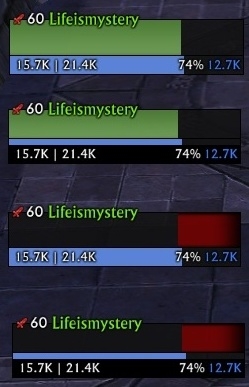
* Added new template LifeUnitFrame1 - with green health
* Added new template LifeUnitFrame2 - with green health and big resource bar
* Added new template LifeMageFrame - with charge bar for mage
* Added new template LifeGroupFrame - with green health
* Added new template LifeGroupFrame2 - with green health and big resource bar
* Added new template LifeTargetOfTarget - with green health
* Added new template LifeRaidFrame1 - with green health
* Added new template LifeRaidFrameCallingColor - with calling color health
* Added cast bar to all unit frame
* Changed color level, now it's look like standart frame
* Changed color name, now it's look like standart frame
* Added icon boss on unit frame when target/focus, now it's look like standart frame
* Added icon mentor level on unit frames, now it's look like standart frame
v0.5.51
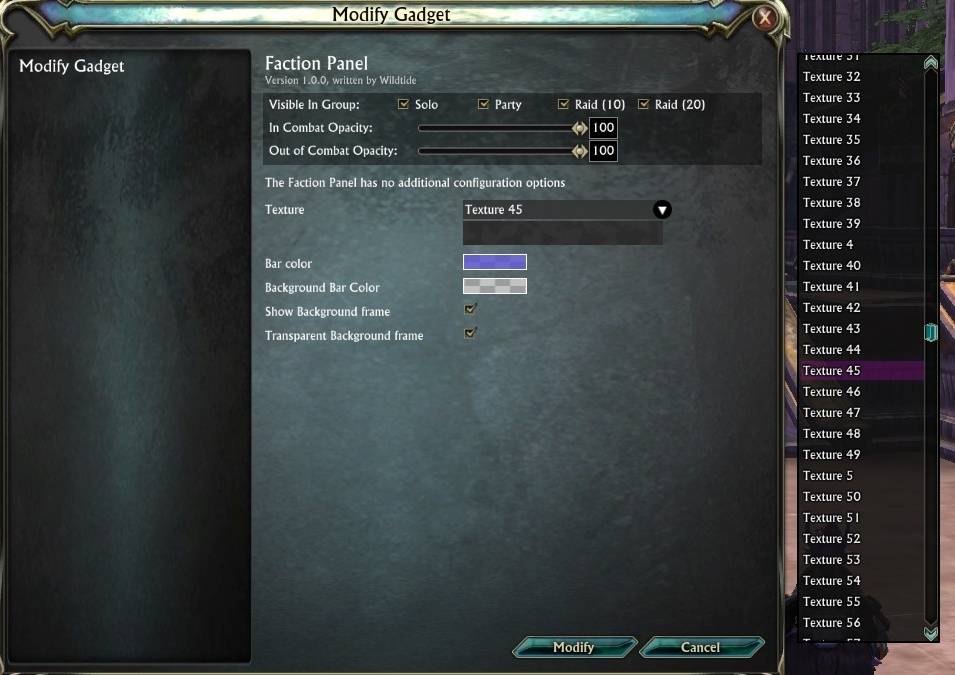
Added new texture pack from WoW SharedMedia (all of them can colorize). Change menu for texture select.(Now you can select texture by using keys up/down on your keybord)
Some VirtualProperty move from Lifeismystery frames
Fixed Vitality in DataTexBar
v0.5.4
Change RangeFinder:
Add options Small Font, Change font color.
Change XPBar:
Fixed bug with wrong illustration reputation bar when text off.
Add options: Change bar color, Change bar Texture, Change background bar in Transparent background.
v0.5.3
Change Fraction Panel:
Added option to tracks specific fraction reputation
Added option to change bar texture
Added option to change bar color
Added option to change background bar color
Added option to unshow background frame
Added option to doing Transparent background frame
Update which could manage and show the life % debuff(HealthCap)
fix bug: After i doing reloadui in raid i can't target any unit. When i moving mouse on unit i see tooltip, but when i do left click nothing happens, unit cant selected. Only logout help me, or teleporting or die.
Fix Gadgets bug affecting gadgets:outfitter
fix HealthCap
v0.5.1
fix DataTextBar_name/desc
v0.5.1
Author: lifeismystery
Change cast bar:
Add :Checkbox("TransparentCastBar", "Transparent cast bar", false) - doing Transparent cast bar
Add :Checkbox("Border", "Show cast bar border", false) - it make visible cast bar border
Add :Checkbox("largeCastFont", "Larger cast font", false) - doing Larger cast font
Add outline font
Add new gadget - DataTextBar
- This gadget displays DataText bar with FRS, CPU, Planar charge, Soul vitality, Money and button 'ReloadUI'
v0.4.92
Author: lifeismystery
Added possibility save, load and delete your profiles.
How to save, load and delete your profiles you can see on my video guide http://www.youtube.com/watch?v=Tr7bcidyFv8&;
Author: Adelea
Convert frame events: KeyDown, TextfieldChange, ScrollbarChange, Size
Convert all button LeftPress
Convert all frame UpOutside
Convert all frame MouseIn MouseOut MouseMove WheelForward WheelBack
Convert all frame Mouse4Down + Mouse5Down
Convert all frame RightDown + MiddleDown
Convert all frame RightClick
Convert all frame LeftUp
Convert all frame LeftDown
Convert all frame LeftClick
v0.3.104
- Updated range finder to use built in range calculation
- Altered range property to take radius into account
- Increased frequency of range calculation
- Updates to cast bar to add option for small cast time text
- Added mask to cast bar so that spell names are cut off before timer
- Added Adelea's gradient textures
v0.3.103
- Stored the owning addon for each registered Gadget so that calls can be dispatched. Fixed nil element id error in resizable code.
- Fixed rename issue with adCastbar -> Castbar
v0.3.102
- Added Adelea's updates to castbar and XP bar gadgets
- Updated to latest version of LibSimpleWidgets
- Updated LibUnitChange's toc
- Updated to latest LibUnitChange
- Removed list of Gadgets on initialisation
- Fixed incorrectly sized role icon on standard frame
- Removed spurious debug message when enabling an animation
- Fixed scaling in ImageSet when height/width setOptional Files (0)
Archived Files (51)File NameVersionSizeAuthorDate0.115MBWildtide05-26-18 04:46 PM0.10.1910MBWildtide05-13-18 01:09 PM0.10.1710MBWildtide08-20-16 07:16 AM0.10.1610MBWildtide12-27-15 06:44 AM0.10.1510MBWildtide12-26-15 07:50 AM0.10.910MBWildtide11-30-15 02:10 AM0.10.810MBWildtide10-04-15 01:49 PM0.10.710MBWildtide08-30-15 11:35 AM0.10.29MBWildtide07-20-15 02:05 PM0.10.09MBWildtide07-18-15 02:49 AM0.8.68MBWildtide05-12-15 07:00 AM0.8.58MBWildtide05-05-15 05:28 AM0.8.48MBWildtide04-22-15 05:59 AM0.8.38MBWildtide04-10-15 01:52 AM0.8.28MBWildtide04-09-15 06:12 AM0.8.06MBWildtide04-08-15 01:30 PM0.7.24MBWildtide12-07-14 03:05 AM0.7.14MBWildtide10-22-14 12:26 PM0.7.04MBWildtide10-22-14 09:10 AM0.6.34MBWildtide06-24-14 12:32 AM0.6.24MBWildtide05-04-14 10:09 AM0.6.04MBWildtide05-01-14 11:13 PM0.5.914MBWildtide01-03-14 11:31 AM0.5.94MBWildtide01-03-14 09:22 AM0.5.74MBWildtide12-01-13 03:04 AM0.5.614MBWildtide11-08-13 04:28 AM0.5.64MBWildtide11-03-13 02:45 AM0.5.514MBWildtide10-16-13 06:11 AM0.5.44MBWildtide10-06-13 03:37 AM0.5.34MBWildtide10-01-13 02:39 PM0.5.24MBWildtide09-23-13 01:21 AM0.5.14MBWildtide09-22-13 11:58 PM0.4.924MBWildtide09-17-13 01:25 PM0.4.83MBWildtide07-04-13 05:39 PM0.4.73MBWildtide07-04-13 02:44 PM0.4.63MBWildtide06-21-13 03:37 PM0.4.53MBWildtide06-17-13 11:56 AM0.4.43MBWildtide06-16-13 05:45 PM0.4.33MBWildtide06-15-13 06:02 AM0.4.2-beta3MBWildtide06-15-13 03:11 AM0.4.1-beta3MBWildtide06-14-13 12:25 AM0.4.0-beta3MBWildtide06-13-13 05:17 PM0.3.1043MBWildtide03-15-13 02:29 AM0.3.1033MBWildtide03-12-13 12:40 PM0.3.1023MBWildtide03-11-13 04:58 PM0.3.1013MBWildtide03-06-13 02:35 AM0.3.1003MBWildtide02-28-13 06:17 PM0.3.993MBWildtide02-28-13 02:24 AM0.3.983MBWildtide02-18-13 03:25 AM0.3.973MBWildtide02-18-13 02:19 AM0.3.963MBWildtide02-16-13 03:34 AM

Comment Options  04-20-24, 07:19 PM
Forum posts: 0File comments: 6Uploads: 0Layers
Probably not much hope for a reply in 2024, but is it possible to alter the layer of a gadget/text so it doesn't go behind pretty much anything that isn't the default actionbar/bagbar?

 08-11-18, 01:46 PM
Forum posts: 0File comments: 2Uploads: 0Re: Currency Bar won't load.
Ok turns out the black bar was an auto faction bar that is ridiculously large, I figured out how to move and disable it as it couldn't be sized.Quote:Originally Posted by DevestatioI have a black bar across the center of my screen in-game which I believe is supposed to be the currency bar, but it is not moveable/hideable.
I still can't get the currency bar to load though, still keep getting the same error.
08-10-18, 10:29 PM
Forum posts: 0File comments: 2Uploads: 0Currency Bar won't load.
Sorry to necro an old post, but I am having the same issue. I tried to follow your suggestion about deleting the CurrenciesTextBar from SavedVariables folder, but it did not exist. I have a black bar across the center of my screen in-game which I believe is supposed to be the currency bar, but it is not moveable/hideable.
"Error: Gadgets/wtCurrenciesTextBar.lua:339: attempt to index a nil value
In wtLibGadget / wtLibGadget.WTGadgetBtnOK:Event.UI.Button.Left.Press
stack traceback:
[C]: in function '__index'
Gadgets/wtCurrenciesTextBar.lua:339: in function 'GetConfiguration'
wtLibGadget/dialogs/wtGadget_CreateDialog.lua:302: in function <wtLibGadget/dialogs/wtGadget_CreateDialog.lua:295>
[C]: ?"


05-26-18, 04:56 PM
Zombie
Forum posts: 4File comments: 40Uploads: 4Re: Need help with Error
Hi,Quote:Originally Posted by AlluranaTrying to add currency text bar and I get the following message. This only occurs on one character which happens to be my oldest character in the game.
Error: Gadgets/wtCurrenciesTextBar.lua:358: attempt to index a nil value
In wtLibGadget / wtLibGadget.WTGadgetBtnOK:Event.UI.Button.Left.Press
stack traceback:
[C]: in function '__index'
Gadgets/wtCurrenciesTextBar.lua:358: in function 'GetConfiguration'
wtLibGadget/dialogs/wtGadget_CreateDialog.lua:302: in function <wtLibGadget/dialogs/wtGadget_CreateDialog.lua:295>
[C]: ?
Try to delete "CurrenciesTextBar" from SaveVariables and recreate it.
05-21-18, 08:42 AM
Forum posts: 0File comments: 1Uploads: 0Need help with Error
Trying to add currency text bar and I get the following message. This only occurs on one character which happens to be my oldest character in the game.
Error: Gadgets/wtCurrenciesTextBar.lua:358: attempt to index a nil value
In wtLibGadget / wtLibGadget.WTGadgetBtnOK:Event.UI.Button.Left.Press
stack traceback:
[C]: in function '__index'
Gadgets/wtCurrenciesTextBar.lua:358: in function 'GetConfiguration'
wtLibGadget/dialogs/wtGadget_CreateDialog.lua:302: in function <wtLibGadget/dialogs/wtGadget_CreateDialog.lua:295>
[C]: ?
09-08-15, 10:39 AM
Forum posts: 0File comments: 3Uploads: 0Any reason the HealthCallingColor for clerics was changed? Kinda looks like a rogue out of range now. Hoping I won't have to revert the change every new Gadget version.
08-28-15, 08:54 AM
Premium Member
Forum posts: 17File comments: 19Uploads: 0 [Request]
On the DataTextBar, would it be possible to add GPU/CPU temps?__________________
To be a healer you have to have a pure heart, one that will always think about others before yourself. My fellow man shall not fall as long as I have breathe. Trust me and stand by my side and you shall always be rewarded with life.
08-22-15, 04:30 PM
Premium Member
Forum posts: 17File comments: 19Uploads: 0
[Request]
On the DataTextBar can you add PING and Lock/Unlock for the action bars? This way if people remove the main action bar they can still lock/unlock the bars to move icons, etc....__________________
To be a healer you have to have a pure heart, one that will always think about others before yourself. My fellow man shall not fall as long as I have breathe. Trust me and stand by my side and you shall always be rewarded with life.Last edited by CustomProfile : 08-28-15 at 08:52 AM.
05-15-15, 10:17 PM
Forum posts: 0File comments: 1Uploads: 0Hi, I'm getting a warning message at login:
WRN: Duplicate virtual property: comboIndex
Might have something to do with the new additional combo points bar?
02-06-15, 04:07 AM
Forum posts: 0File comments: 6Uploads: 0If i try to add the currencies text it tosses an error:
Code:Error: Gadgets/wtCurrenciesTextBar.lua:314: attempt to call field 'CreateColourPicker' (a nil value) In wtLibGadget / wtLibGadget.WTGadgetCreate_wrapper_CurrenciesTextBar:Event.UI.Input.Mouse.Left.Click stack traceback: [C]: in function 'CreateColourPicker' Gadgets/wtCurrenciesTextBar.lua:314: in function 'ConfigDialog' wtLibGadget/dialogs/wtGadget_CreateDialog.lua:369: in function 'fn_LeftClick' wtLibGadget/dialogs/wtGadget_CreateDialog.lua:393: in function <wtLibGadget/dialogs/wtGadget_CreateDialog.lua:392>
01-09-15, 11:14 AM
Zombie
Forum posts: 1File comments: 3Uploads: 0I decided to try this out. I loaded it, moved the little icon to a good location, right clicked it and selected 'settings', and got this error message:
The settings box is unusable, incidently, with text on top of other text making it unreadable. I can add items just fine, though, so I'm still playing around with that. It looks neat, and like I might be able to use it for healing, too!Code:Error: wtLibGadget/dialogs/wtGadgetSettings.lua:287: bad argument #1 to 'pairs' (table expected, got nil) In wtLibGadget / wtLibGadget.ComboOption_3:Event.UI.Input.Mouse.Left.Click stack traceback: [C]: ? [C]: in function 'pairs' wtLibGadget/dialogs/wtGadgetSettings.lua:287: in function 'getlayoutNameList' wtLibGadget/dialogs/wtGadgetSettings.lua:222: in function 'ShowSettings' wtLibGadget/wtGadgetButton.lua:85: in function 'value' wtLibGadget/controls/wtMenu.lua:55: in function 'MenuItemClicked' wtLibGadget/controls/wtMenu.lua:177: in function <wtLibGadget/controls/wtMenu.lua:176>Last edited by green : 01-09-15 at 11:33 AM.
12-09-14, 05:02 AM
Forum posts: 0File comments: 9Uploads: 0Why does the Gadget window in the Rift Addons menu never show the correct version number?
11-30-14, 04:42 PM
Forum posts: 0File comments: 9Uploads: 0The DataTextBar worked fine for a long while, but recently it's stopped recognizing shard swaps. I have deleted and readded but still doesn't function.Quote:Originally Posted by lifeismysteryQuote:Originally Posted by BardSadly it never changes for me. It always shows Greybriar no matter which shard I anchor to.Quote:Originally Posted by lifeismysteryIt's works for me, long time after fix. I tested.Quote:Originally Posted by BardThe shard name on the data bar still does not show the actual shard you are on if it differs from your home shard.
Very strange. Try to remove and re-add DataTextBar
11-27-14, 06:55 AM
Claw of Regulos
Forum posts: 11File comments: 24Uploads: 2Hello.
Here's an error I got posted in my forum.
Code:Error: performance warning In wtLibGadget / Event.UI.Input.Mouse.Left.Click stack traceback: wtLibGadget/dialogs/wtGadget_CreateDialog.lua:377: in function 'fn_LeftClick' wtLibGadget/dialogs/wtGadget_CreateDialog.lua:393: in function <wtLibGadget/dialogs/wtGadget_CreateDialog.lua:392>
11-05-14, 11:10 AM
Bomani Harbinger
Forum posts: 6File comments: 26Uploads: 1Can we please have the option to change the color of the health, and make the resource bars class colored, and as well as have editing options for the Charge bar? Those are things that Gadgets should have had, but for some reason never had them put in.
Also, is it not yet possible to completely replace the breath bar?
- Categories













 [Request]
Riftui
AddOn Sites

© 2022 MMOUI